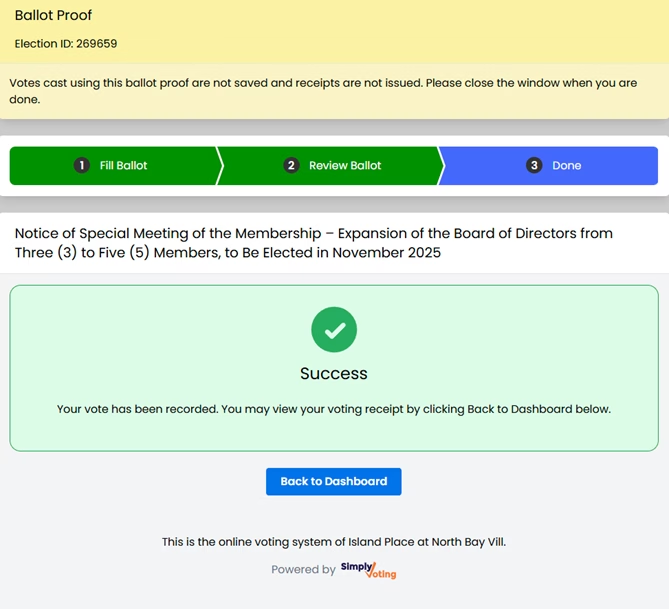
ACCESSING THE ONLINE VOTING SYSTEM
ACCEDIENDO AL SISTEMA DE VOTACIÓN EN LÍNEA
STEP 1: Open the link sent to your email.
PASO 1: Abra el enlace que le hemos enviado por correo electrónico.
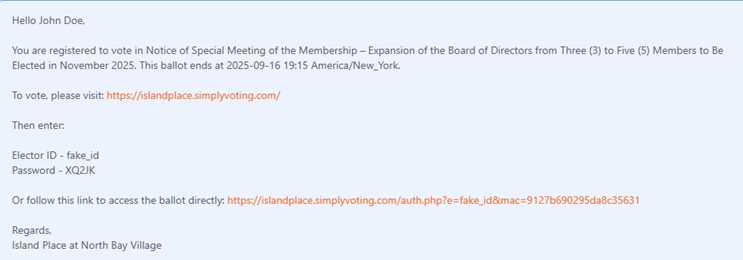
Option 1: Login Required: If you choose the first link, you will need to enter your Elector ID (for example: 1-A) and the password you received.
Opción 1: Acceso requerido: Si ha seleccionado el primer enlace, necesita colocar su Elector ID (Por ejemplo: 1-A) y luego la contraseña que ha recibido.
Option 2: Direct Link to Ballot: Clicking on the second link will take you directly to the ballot, bypassing the need to enter your Elector ID and Password.
Opción 2: Enlace directo a la votación: Haciendo “clic” en el segundo enlace, te va a dirigir directamente a la votación sin necesidad de colocar el “Elector ID” y la contraseña.
STEP 2: View the voting options and election details.
PASO 2: Observe las opciones para votar y los detalles de la elección.
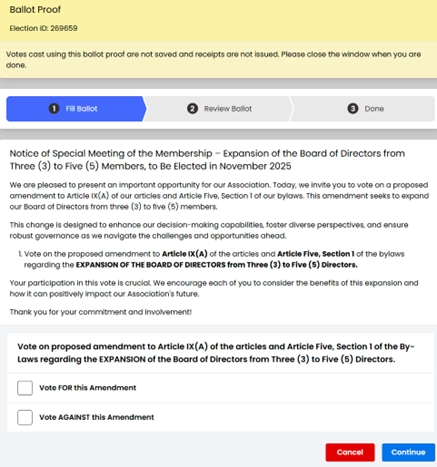
STEP 3: Select your preferred option and click the blue “Continue” button.
PASO 3: Seleccione la opción de su preferencia y luego haga “clic” en el botón azul “Continue” (Continuar).
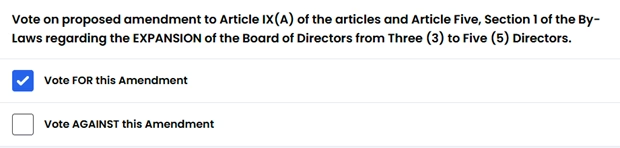
STEP 4: You will review your choice.
PASO 4: Revise su selección.
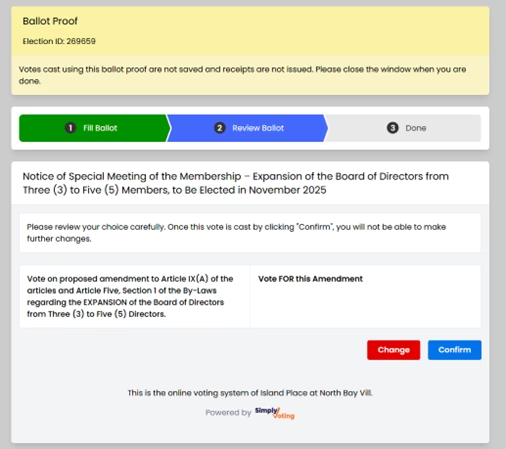
Option 1: If you are confident in your selection, please click the blue “Continue” button.
Opción 1: Si está seguro de su selección, por favor haga “clic” en el botón azul “Continue” (Continuar).
Option 2: If you wish to reconsider, use the red “Change” button to update your response.
Opción 2: Si desea cambiar de opción, utilice el botón rojo “Change” (Cambiar) para actualizar su respuesta.
STEP 5: You get confirmation of your vote.
PASO 5: Va a obtener una confirmación de su voto.